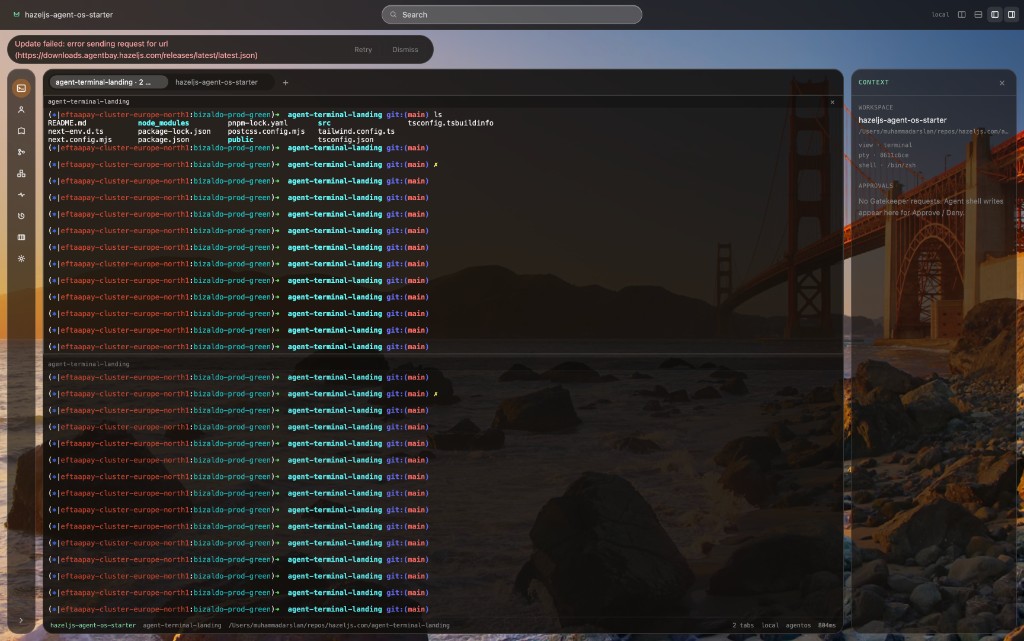
Agent BayAgent Bay
Agent Bay

Agent Bay

Agent BayYour shell. Your agents. One bay.

Native PTY first — scrollback restore, prefix history, inspect tabs. Mission Control and Gatekeeper when you want agents — never instead of the terminal.

macOS · Linux · Windows

Key facts

Native PTYInspect tabsMission ControlGatekeeper
Use cases

Where teams use it

Each flow maps to tabs and commands in the app today — not a future roadmap slide.

01
Platform / SRE

Triage a prod incident without leaving the terminal

A pod is crash-looping. You need context from the cluster and a careful kubectl command — not an agent free-running in production.

  1. 1Open Infra → pick the pod → read kubectl describe output in the detail pane.
  2. 2Click Propose in Agents to draft a command with cwd and cluster context in the prompt.
  3. 3Gatekeeper asks for approval before anything hits the PTY.

Infra · Agents · Gatekeeper

02
Tech lead

Two agent tasks on one repo without stomping main

You want logging in one branch and a test fix in another while you keep shipping from main.

  1. 1Create a Mission with a goal; the planner builds a task list and a git worktree under .worktrees/.
  2. 2Start implement tasks — agents run in the worktree cwd, not your primary checkout.
  3. 3Review git diff in Missions, accept or reject, then merge from the worktree when ready.

Missions · Git inspect · Worktrees

03
Application developer

Understand a dirty tree before you commit

You pulled main, ran code generators, and need to see exactly what changed before opening a PR.

  1. 1Git tab: staged vs unstaged lists, per-file diff, recent commits, remotes, worktrees.
  2. 2Propose in Agents with the inspect summary if you want a suggested git command.
  3. 3Run commands in the PTY yourself, or send approved agent actions when Gatekeeper allows.

Git inspect · Cmd+K suggest · Terminal

04
Security-conscious team

Local-only AI for command suggestions

You want natural-language help turning intent into a shell command, but not send repo paths to a cloud API.

  1. 1Settings → AI: Ollama / local-only → Test connection → pick a model from tags (Open Ollama.app or pull if needed).
  2. 2Cmd+K: describe the task; review the suggested command and risk level.
  3. 3Run only when you click Run — HIGH/CRITICAL prompts ask twice.

Settings · Command palette · Ollama

05
Agent OS user

Run a HazelJS DNA agent on a customer repo

You have a support-desk or triage agent package and need HITL approvals on tool calls.

  1. 1Open the workspace root; Mission Control detects adapters on PATH and shows occupancy at a glance.
  2. 2Start HazelJS (or Codex / Claude Code) — sidecar hosts Agent OS, not the webview.
  3. 3Approve or deny each AgentAction in the pane or right rail; terminal sessions keep running if the sidecar restarts.

Mission Control · Right rail · Gatekeeper

06
New hire

Map an unfamiliar repo in one session

You inherited a monorepo with compose files, several remotes, and SSH hosts you do not know yet.

  1. 1Memory → Discover: git remotes and compose services from disk (kube names opt-in).
  2. 2SSH hosts listed from ~/.ssh/config; Infra shows what is actually running locally.
  3. 3Cmd+Shift+F searches command history and notes; keep Memory notes you want to retain.

Memory graph · Infra · Global search

Why

Why Agent Bay exists

The problem

Developer work lives in the shell: git, docker, kubectl, SSH, and long-running servers. Agent products usually split that into a chat window and a separate terminal, with no shared policy for what an agent may execute.

The goal

Give you one desktop app: a terminal you would use anyway, plus inspect views, missions, and agents that share Gatekeeper and Mission Control.

  • 01Shell first — GPU-backed PTY, splits, prefix history, restore layout + cwd + scrollback.
  • 02Inspect before you act — real git/docker/kubectl output, empty when the tool is missing.
  • 03Policy outside React — Gatekeeper and Agent OS run in Rust and the sidecar.
Features

What ships in the desktop app

V1 milestones M0–M9 are shipped in the desktop binary. V2 items (like a provenance ledger) stay off this list until they land — no mock UIs.

A professional terminal that works offline and without an AI account. Tabs, splits, OSC 7 cwd tracking, structured command blocks, and iTerm-like workspace restore of layout, cwd, and scrollback — new shells, not process resurrection.

  • Tauri 2 + Rust PTY (portable-pty) with xterm.js WebGL
  • bash / zsh / fish; iterm-dark density; Spaces fullscreen on macOS
  • Session restore: new shells at last cwd + replayed scrollback per pane
  • Prefix history search: type a stem (e.g. kubectl), then ↑ / ↓
Different

Built for agents next to a real shell

Full comparison
01

Native shell, not a web chat

Your keyboard drives a real PTY. Agents interact through approved actions and focused panes — the same execution model you use for deploy scripts.

02

One Mission Control, many adapters

HazelJS Agent OS lives in a Node sidecar. Codex, Claude Code, Gemini CLI, and OpenCode attach through the same adapter surface and occupancy states.

03

Gatekeeper before writes

Risk classes and YAML policy decide when cli.spawn or terminal.run needs approval. The webview shows the queue; it does not grant capabilities.

04

Inspect panels use your machine

Git, docker ps, kubectl, and SSH config are read-only views of local commands. No sample data when a binary is missing.

05

Pick your agent stack

HazelJS is the native kernel; external CLIs stay external. Swap tools without replacing the terminal.

HazelJS

Powered by HazelJS Agent OS

Agent Bay embeds the same AgentOS kernel as the HazelJS CLI: durable runs, DNA packages, HITL, occupancy, and Gatekeeper. The desktop app adds the PTY, missions, inspect tabs, and universal adapters.

Desktop
Tauri + React UI
Rust core
PTY · SQLite · events
Node sidecar
AgentOS · Gatekeeper
Child CLIs
codex · claude · …
  • AgentOS runs in an isolated sidecar process
  • Shared Gatekeeper with MCP and CLI protectors
  • External CLIs use adapters — they are not imported into Agent OS
  • PTY I/O stays in Rust if the sidecar stops
FAQ

Straight answers

Short facts about what Agent Bay is — and is not — for humans and machines alike.

What is Agent Bay?

Agent Bay is a GPU-accelerated native terminal and operating environment for developer agents. It combines a real PTY (scrollback restore, prefix history) with Mission Control, Git/infra inspect, History time-travel, and Gatekeeper approvals. AI is optional.

How is Agent Bay different from iTerm, Ghostty, or Warp?

Classic terminals focus on the shell — Agent Bay matches that bar (WebGL PTY, scrollback restore, prefix history) and adds Mission Control, Gatekeeper HITL approvals, and inspect panels for Git and infrastructure. It is not a cloud IDE.

Does Agent Bay auto-run AI commands?

No. Command palette suggestions never auto-run. Agents and tools that write to the PTY go through Gatekeeper, which defaults to deny until you approve.

Does Agent Bay require HazelJS Agent OS?

No. The terminal works without Agent OS. When the sidecar is available, Mission Control can run HazelJS and other agent CLIs under the same policy boundary.

Where do I download Agent Bay?

macOS, Linux, and Windows builds are served from https://downloads.agentbay.hazeljs.com/dl/{mac|linux|windows}. Prebuilt apps auto-update from the same CDN. You can also build from source with pnpm and Rust.

Is Agent Bay open source?

Agent Bay is licensed Apache-2.0. Product source lives in the agent-terminal repository; this site is the marketing surface at https://agentbay.hazeljs.ai.

Agent Bay
Get started

Dock in.

Download Agent Bay for your platform, or clone and run pnpm dev. No cloud account. Enable Ollama or Agent OS when you are ready.